
Fogbottom Scene Builder
Version 1.0.0 · Free · Windows 10 and 11 (64-bit)
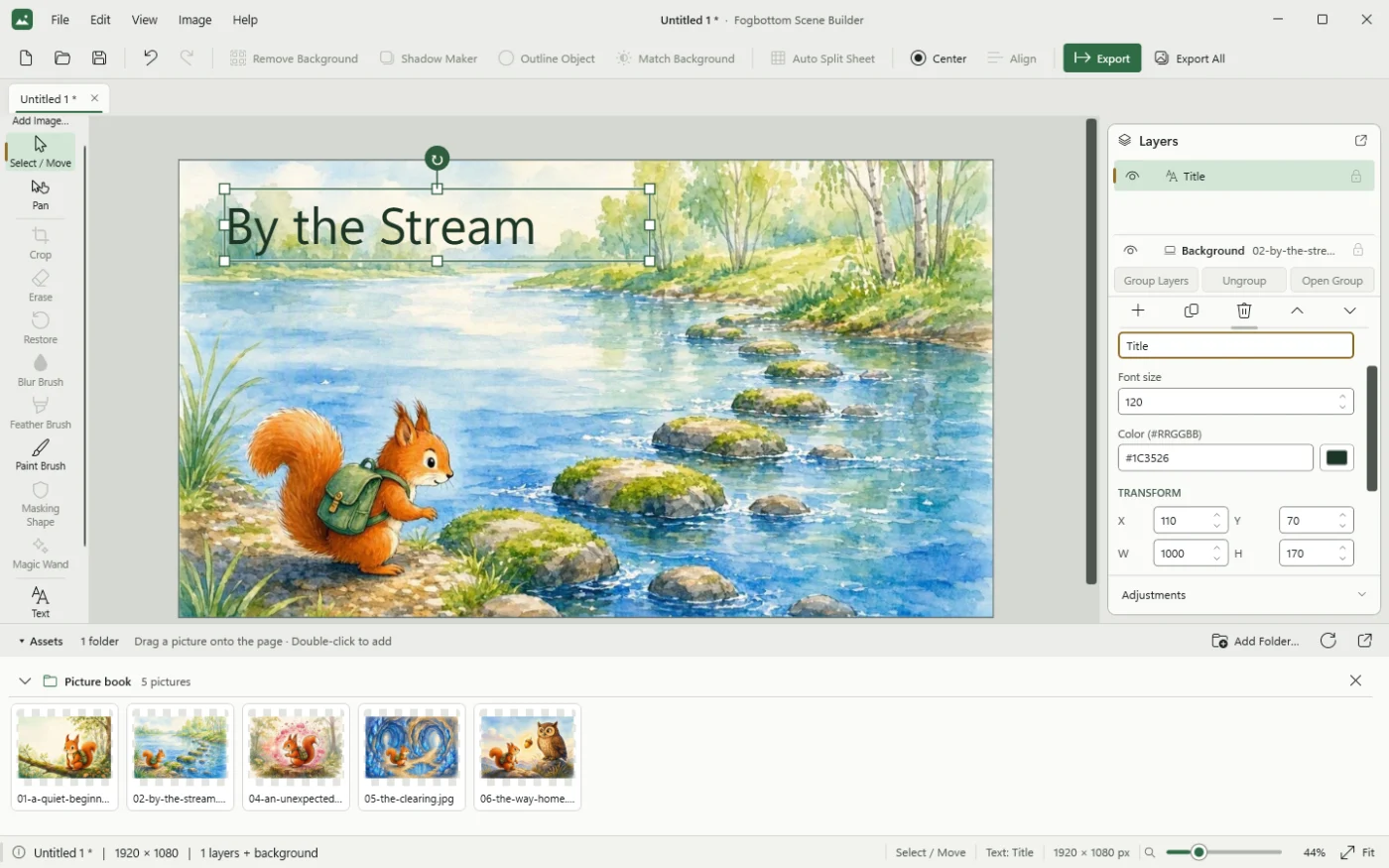
Compose scenes from pictures, text and shapes, and keep everything editable. Everything runs on your computer: no internet connection, account, GPU or cloud service is needed, and nothing is sent anywhere.

What it is for
Scene Builder is for assembling an illustration from separate pieces — characters, props, backgrounds and lettering — on a page of any size. Each piece stays on its own layer, so you can move, resize, adjust or replace it at any time, then export the finished scene as a full-resolution PNG or JPG.
It includes practical clean-up tools for preparing pictures, such as automatic background removal that runs entirely on your own computer.
Main features
- Scenes from pictures, text and shapesPNG and JPG pictures, editable text and rectangles on a page of any size, with layers, groups, Align, Cut, Copy, Paste and unlimited Undo.
- Canvas backgroundsUse a picture, a colour, or a linear or radial gradient as the background. Gradients also work for rectangles.
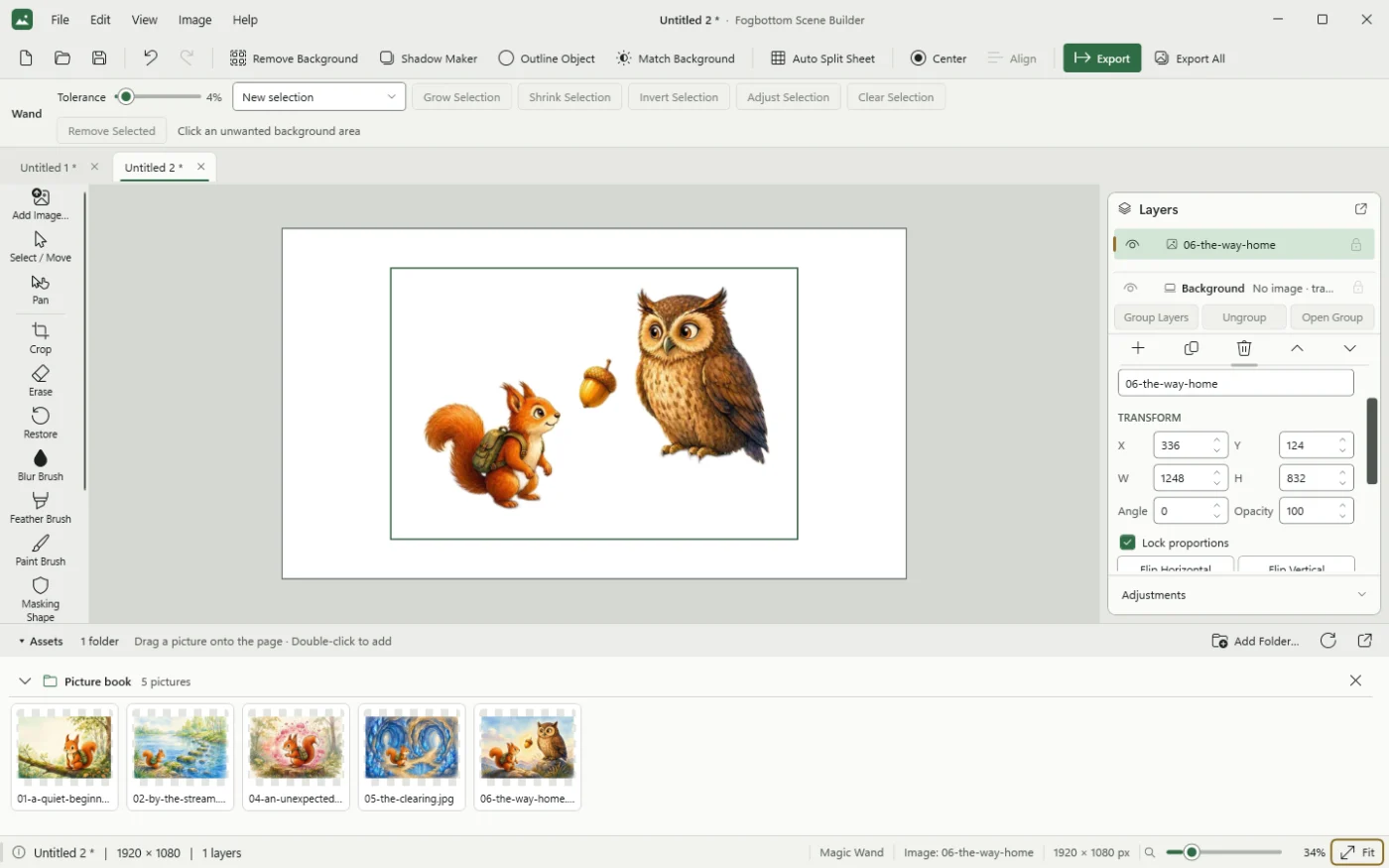
- Picture clean-upRemove Background (automatic, on this computer), Magic Wand, Erase, Restore, Crop, Masking Shape, and Brightness, Contrast and Saturation.
- Finishing toolsBlur Object, Blur Brush, Feather Object, Feather Brush, and Shrink or Grow edge.
- Fogbottom toolsShadow Maker, Outline Object, Match Background, Auto Split Sheet, Paint Brush and Select Area to Copy.
- Editable projectsSave
.fogsceneprojects with the pictures included, and export full-resolution PNG or JPG. - Recovery copiesIf an unexpected problem occurs, Scene Builder saves a recovery copy of every scene with unsaved changes. Your own project files are never overwritten by a recovery copy.
- Light and dark themesChoose Light or Graphite under View › Theme.
System requirements
| Operating system | Windows 10 or 11, 64-bit (x64). |
|---|---|
| Other software | The .NET runtime is included. Remove Background needs the Microsoft Visual C++ Redistributable (x64). Most computers already have it; if not, the installer offers to install Microsoft's package, which asks for administrator permission. Everything else works without it. |
| Graphics and internet | No GPU, internet connection, account or cloud service needed. |
| Picture formats | PNG and JPG. |
| Install folder | A folder you can write to. The installer uses %LOCALAPPDATA%\Programs\Fogbottom\Scene Builder, because Scene Builder keeps its settings beside the program. |
Installing and getting started
Installer
- Run
Fogbottom-Scene-Builder-1.0.0-Setup.exe. It installs Scene Builder for your Windows account. No administrator rights are needed, except to add the Visual C++ runtime if your computer doesn't have it yet. - Start it from the Start menu (Fogbottom › Fogbottom Scene Builder), or from the desktop shortcut if you chose one.
- Help › Using Scene Builder… gives a short summary inside the program, and the full User Guide is installed with it. Hovering over any button explains what it does.
Portable ZIP
Extract the whole ZIP into a folder of your own (not Program Files) and run Fogbottom.SceneBuilder.exe. To remove it, delete the folder.
Updating and removing
To update, run a newer installer; it keeps your settings. To remove Scene Builder, use Settings › Apps › Installed apps. Uninstalling never deletes your projects, exports or recovery copies in Documents\Fogbottom Scene Builder.
Download Scene Builder 1.0.0
Free to download and use. No registration, account or subscription. Scene Builder is a large download because it includes the .NET runtime and the background-removal model.
Windows installer Recommended
Installs for the current user, with Start menu shortcuts and an uninstaller. Includes Microsoft's Visual C++ runtime, offered only if it is missing.
Download installer (.exe, 225.5 MB)- File
- Fogbottom-Scene-Builder-1.0.0-Setup.exe
- Size
- 225.5 MB (236,465,226 bytes)
- SHA-256
- 172207b2a9941da7e9d6269543028598a790202a1d98f5af0702ccec8d37ca5f
Portable ZIP
No installation: extract the folder and run the program from it.
Download portable ZIP (227.3 MB)- File
- Fogbottom-Scene-Builder-1.0.0-win-x64.zip
- Size
- 227.3 MB (238,356,313 bytes)
- SHA-256
- debba2320bcb9e834352179ea955c348a9c64fbe58ee059839c1aa9c7cec43ad
Unsigned program: Windows may show a warning
Scene Builder is not code-signed, so Windows may show “Windows protected your PC” when you run the installer. If the file came from fogbottom.com and its SHA-256 checksum matches the one shown above, click More info, then Run anyway. If your organisation's security policy blocks it, follow that policy.
To check a checksum, open PowerShell in your Downloads folder and run:
Get-FileHash .\Fogbottom-Scene-Builder-1.0.0-Setup.exe -Algorithm SHA256
All checksums are also listed in SHA256SUMS.txt.